The Grove 2.3
The Grove 2.3
The Grove now has the most accessible demo version of any program ever, period. The first tree grows within seconds when visiting the website. This is the actual full simulation at work and it just got a big boost! And even better, working on the web version continues to spark ideas for optimizations that find their way into the add-ons.
Next to utterly slashing storage overhead by three-quarters, better build quality and the improved Draw tool, this release brings a number of improvements and bug fixes, and full compatibility with the Blender 5 series and Houdini Indie. Have fun growing!
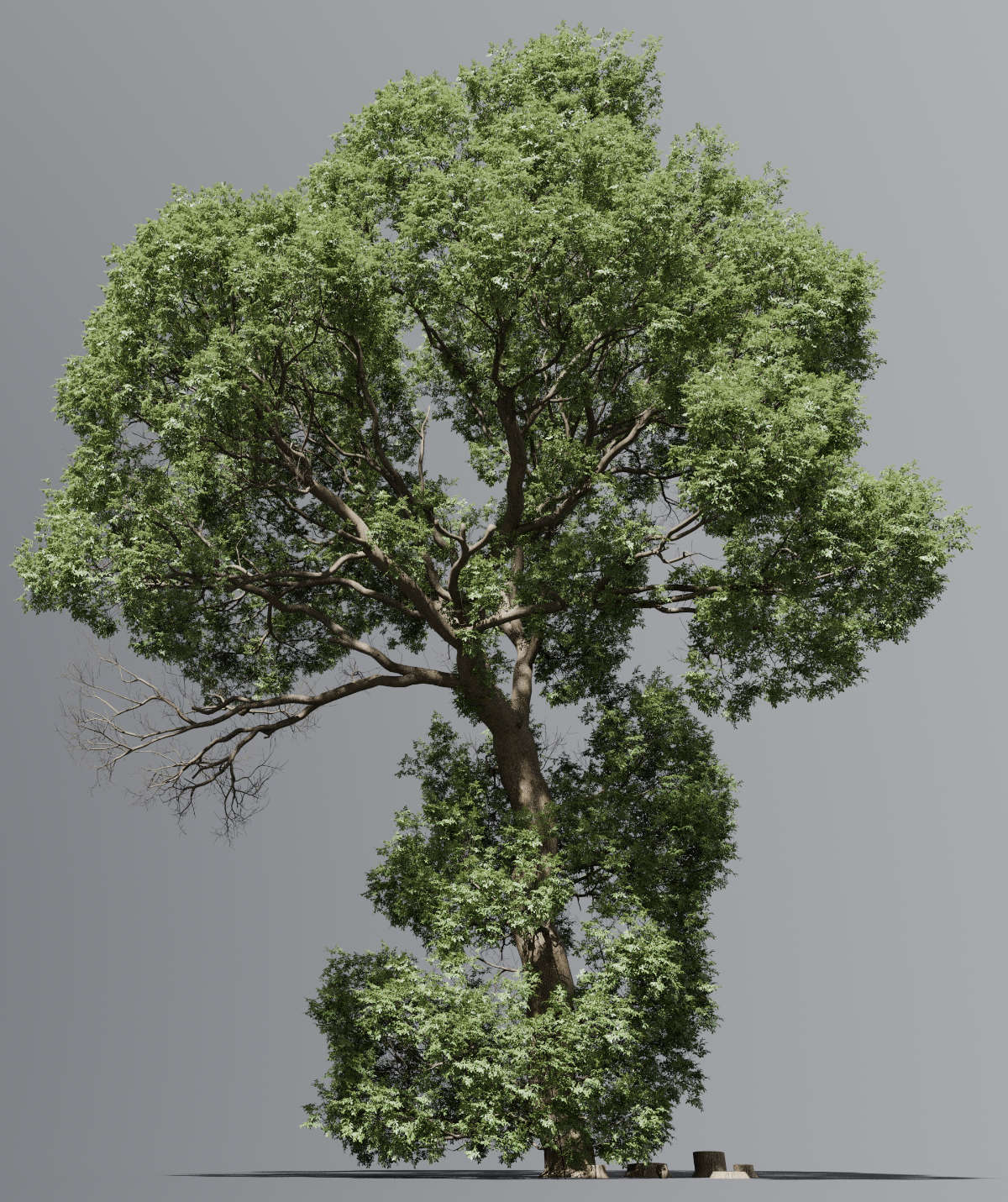
Houdini Indie
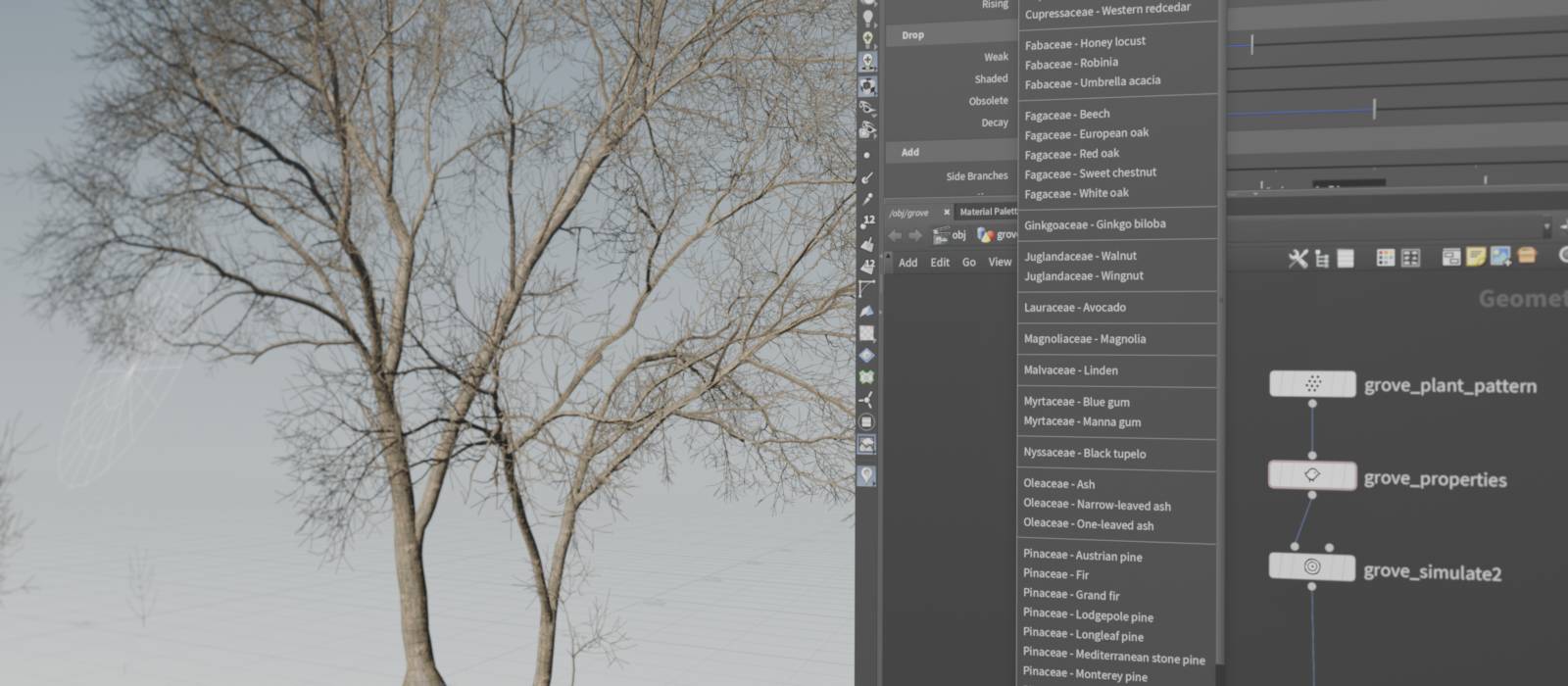
It really is a much more technical experience than you’re used to from the Blender add-on, that’s how Houdini rolls! And if you ever feel the need for the interactivity of the viewport tools, feel free to grow trees in blender and export the simulation data to build on it further in Houdini.
Web demo upgrade
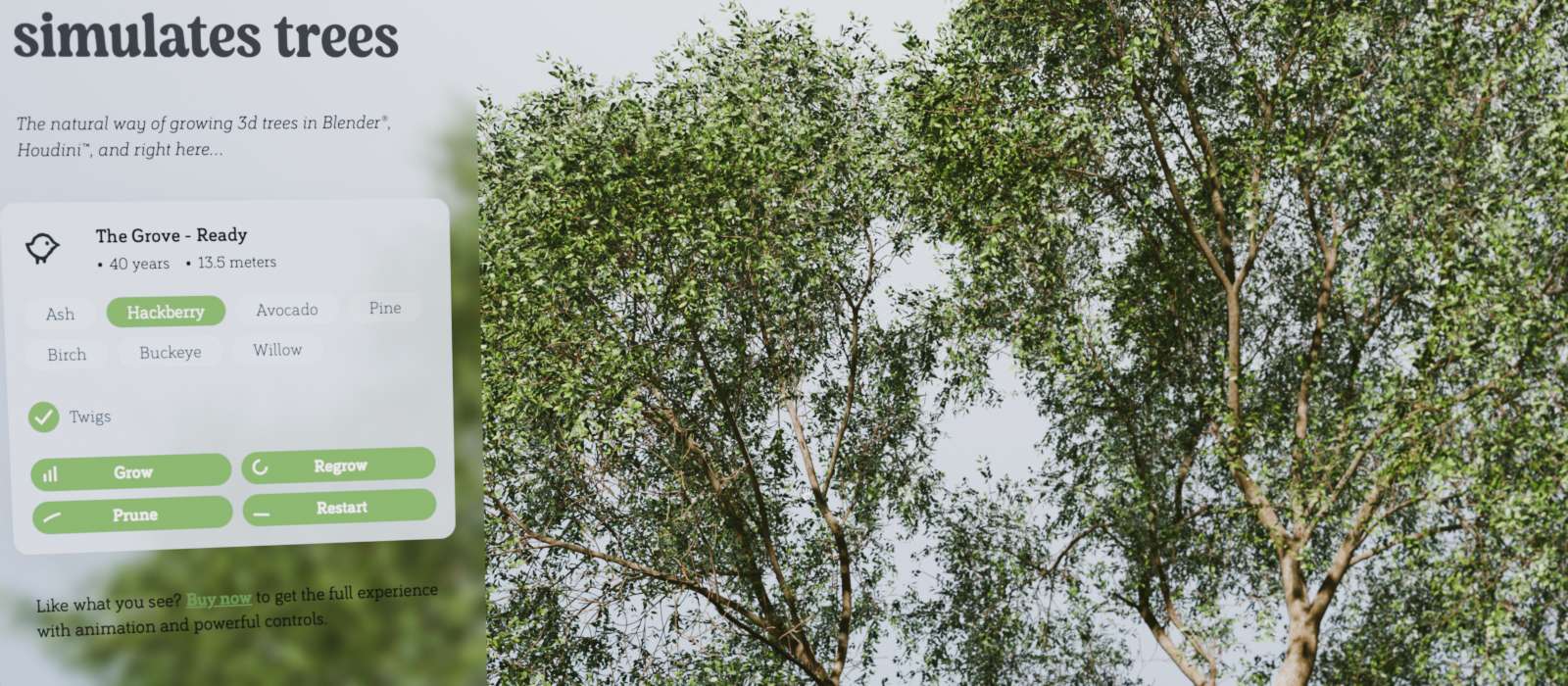
The web demo has expanded its functionality and now has a more obvious interface that invites you to grow more trees to experience the simulation. I really like the way it’s turning out and it may grow beyond just a demo some day.
UV mapped bark textures now work on the web! Sounds easier than it was, more on that below at Build > Seams.
The most used and most fun tool of the Blender add-on now works on the web – Prune! A bit of pruning can go a long way to open up the crown and show the tree’s structure and its trunk.
The web demo builds a full mesh for every year in the tree’s life, which is super heavy. Building in 32-bit precision makes the simulation 20% faster and building 44% faster – all while taking 40% less memory! This lets you grow bigger trees within the tight browser memory limits.
Build improvements
Subdivide smooth
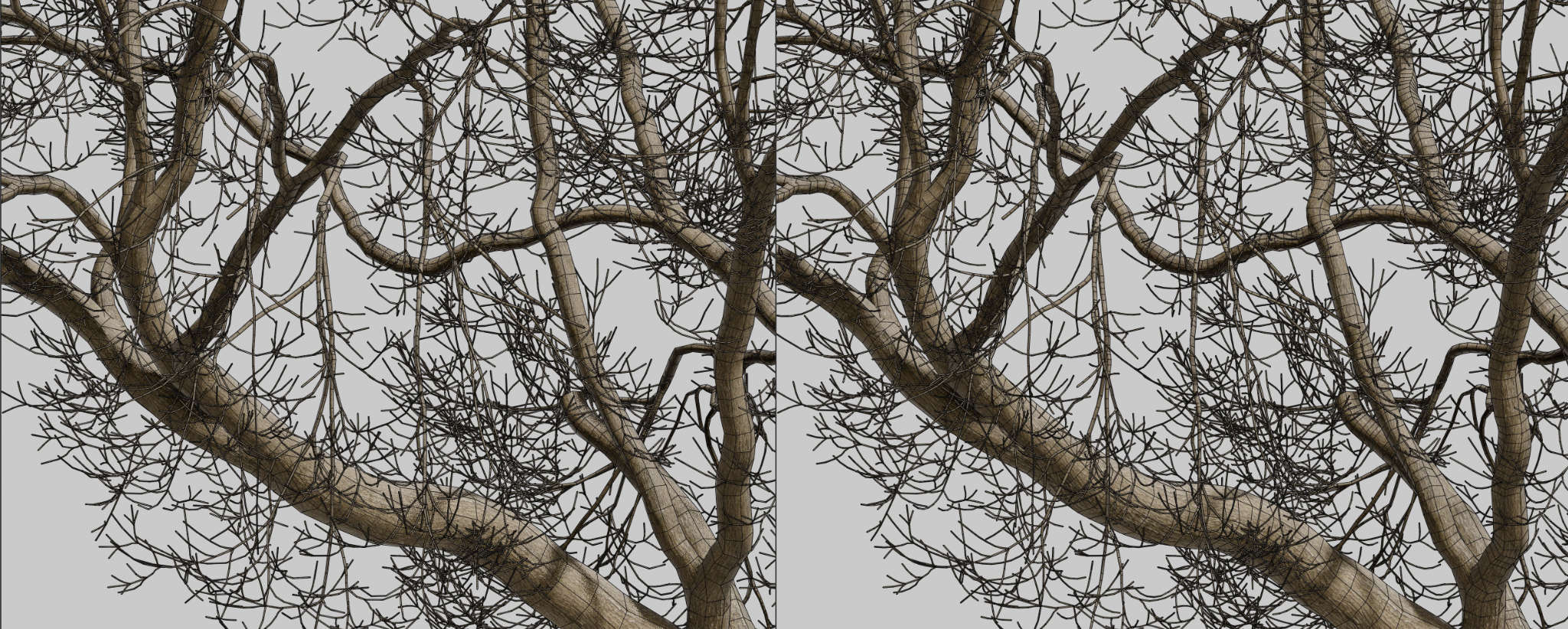
When building the tree mesh from node to node, curved branches can appear segmented. The new Subdivide option adds intermediate nodes to smooth the curve, applying subdivision only where angles are abrupt while skipping straigher segments. This slightly increases polygon count but clearly improves the close-up appearance.
It tries to be subtle to keep the poly count low: for any remaining visible kinks, you can manually bevel the specific jagged edge rings in your shot. This takes only seconds and keeps the overall mesh lightweight.
Just a side note: please never use subdivision surfaces on trees. They make branches thinner and they subdivide in all directions, creating an excessive amount polygons.
Bark texture auto repeat
The Grove now automatically scales and increases the repetition of bark textures around the branch circumference, matching the texture width to the actual branch thickness as the tree grows. This ensures seamless texture repetition without manual adjustment.
This replaces the Build > Texture > Repeat parameter, which required manual adjustments as the tree grew and which failed miserably in multi-tree groves, where all trees previously shared the same repeat value regardless of their individual base thickness. Now you can set the Width parameter once, roughly matching the real world width of the captured area of bark. The default of 40cm works great on most textures anyway and you should rarely have to change it — so one less slider to worry about.
This little feature sparked from the web demo, you can see it in action on the homepage; just watch the base of the tree and how at times the repetition increases.
Split seams
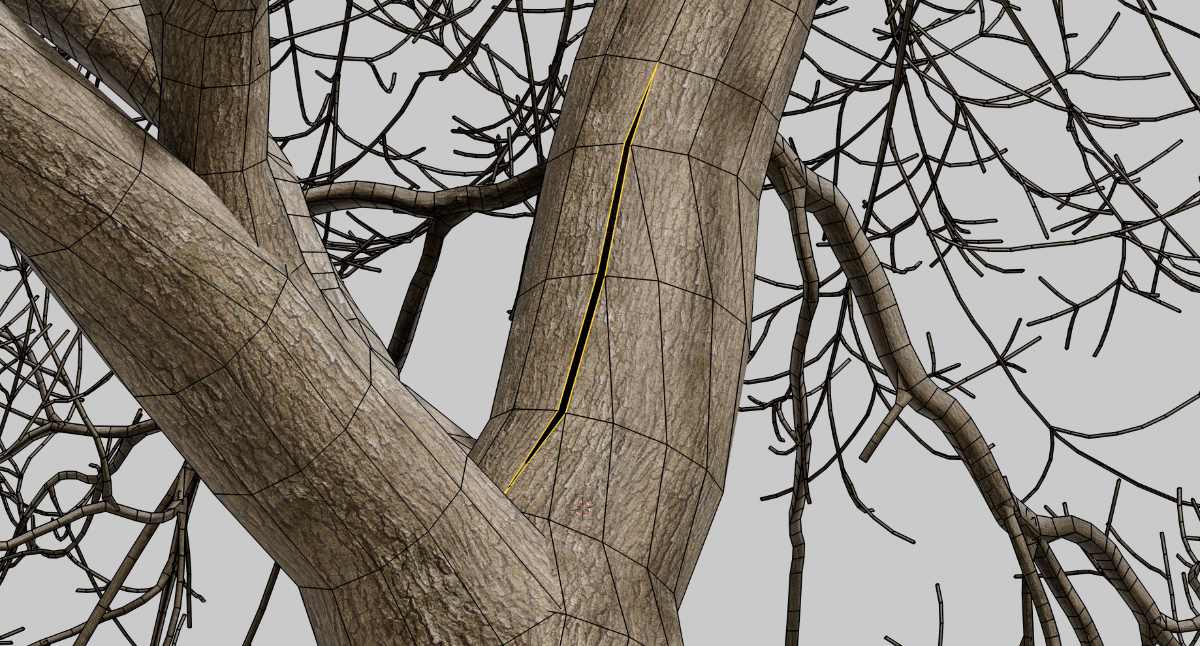
This new build option splits one edge along the length of the branch and also separates the end cap geometry. The extra vertices enable per-point UVs and normals instead of the more complex face-corner data. This GPU-friendly mesh structure is used by three.js, webGL, glTF, applications like Rhino and realtime engines for more performance.
A downside of the unconnected seam is that we can’t rely on automatically calculated normals, which would clearly show the seam. Therefore The Grove Core now also adds a vertex normal attribute. As a bonus, the overhaul of the mesh building code also gave a small improvement in the topology along the branch.
Blender: Does not support per-point normals and UVs natively. Therefore the Build Seams option does create the seams but it uses face-corner data with custom normals to hide them. Blender’s glTF exporter automatically converts to a similar GPU-friendly format, so this option is rarely needed in a Blender workflow.
Houdini: Fully supports point normals and UVs. When enabled, the build node creates the seams and adds appropriate point-level attributes.
Draw tool upgrade
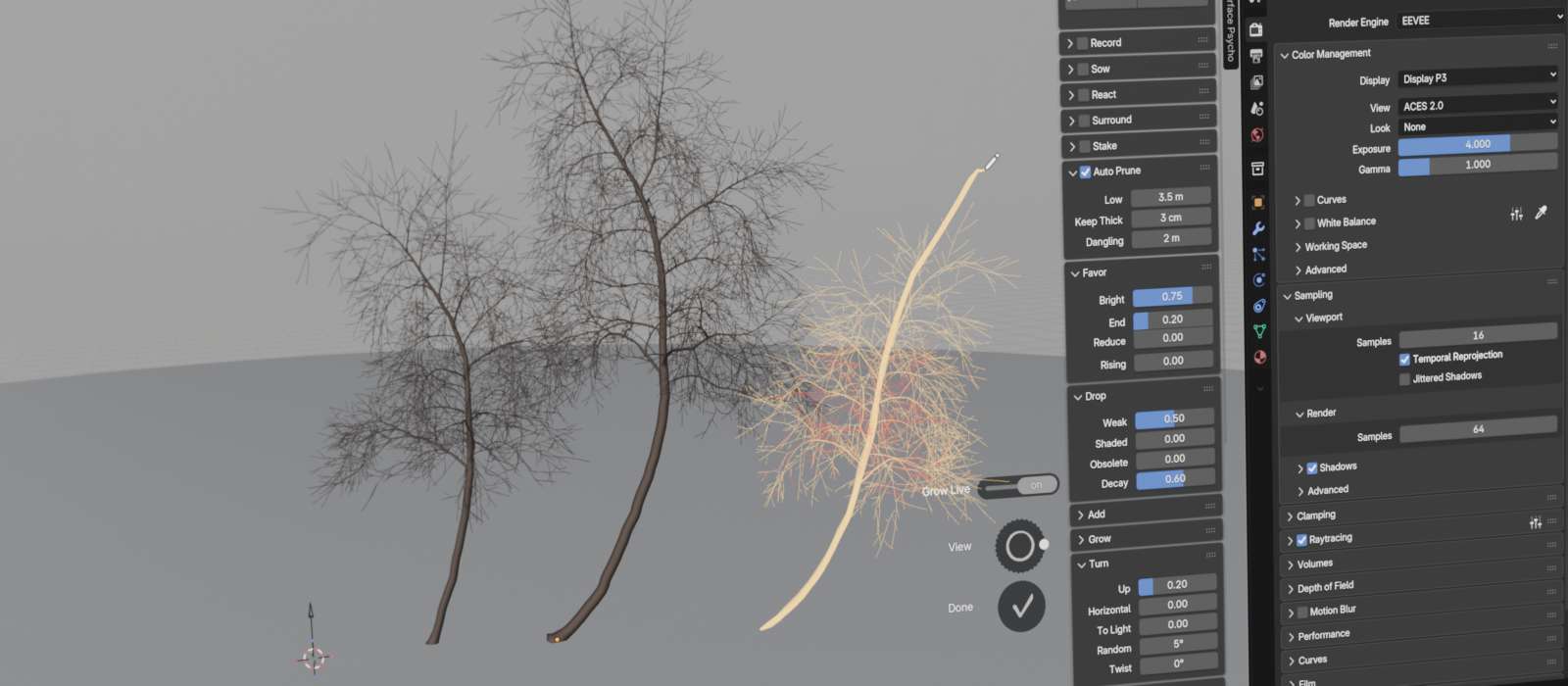
Draw new trees
Instead of just drawing branches on existing trees, you can now draw additional trees from anywhere on the ground plane, as well as from scene objects. You can draw new trees at any time during the simulation — a highly wanted feature based on user feedback. Instead of relying on the random nature of Sow, you now get to add trees wherever, whenever you want.
Grows while you draw
A draw tool seems like an obvious feature you’d want in a program like The Grove, but at the same time it’s completely unnatural in a simulation and it can feel like fighting against nature!
To improve the experience, it now grows while you draw, so you’ll quickly see when the branch starts deviating from your drawing — that’s when nature takes control and you should stop. This option does make the drawing tool too heavyfor very long branches or even a tall tree, this is when you can disable Grow Live. Curved trees like these are best created with the Bend tool instead.
Nature still in control
You can draw a path, but the new growth will still also follow its natural tendencies — growing upward, bending downward, shedding branches, and so on. This means that the Draw tool struggles with tree species that stand out in any of these three behaviors. Ash trees, for example, aggressively turn new growth upward while their heavy branches sag considerably, making any interaction with Ash feel like a battle against nature itself. Blue gum presents another challenge: initially, the Draw tool appears to work well, but as you continue to grow the trees, they quickly die. Blue gum maintains such a delicate balance in its natural growth, constantly shedding superfluous branches, that introducing an artificial branch where none should exist disrupts this equilibrium—a recipe for disaster.
In light of the above, it’s always a good idea to grow a couple of additional years just after you’ve drawn a new branch, because however unnatural such a drawn branch may be, the tree itself will quickly find a new balance. Then if it does die too easily, simply undo and reduce Drop > Weak for a couple of years until the tree finds a its new balance.
Optimal storage
With the price of memory and ssd storage rising through the roof, it’s up to application developers to use as little as possible. In the new release, the simulation data now takes much less memory and disk space. This was done by first reshuffling the simulation data and by then skipping the writing of data that is calculated anyway before it’s being used, plus rounding to a maximum of 3 significant decimal digits. The result is a wopping 75% reduction of data, leaving just 25% of data to store after the simulation! This saves dozens of megabytes per tree in a Blender file, and even much more in an open Houdini document, where the simulation is stored muliple times from node to node.
The one downside — timelapse recording used to be extremely flexible, but to make this possible we had to store a lot of information about the tree not only at its current state, but also that of last year. That’s a lot of excess data that you will almost never use. Plus, most of these tools didn’t make sense and didn’t work well with Record to begin with. So the choice was made to limit Record to natural growth. This means you can’t use other tools like Prune, Bend and Draw while recording, just the natural tree growth as-is. Of course recording still does work with React, Surround, Stake and Auto Prune. Also, the new build option Subdivide does not work with Record because it changes the number of nodes from year to year — therefore it is simply ignored when recording. Same for Seams, which also does not work with Record (yet).
Small features and bug fixes
- Optimize speed: Faster raytracing for shade calculations by using more flexible multi-threading.
- Optimize memory: If one of the twig fields is empty, e.g. no dead twigs, the Instance on Points node would still create thousands of instances, just with empty geometry. The spreadsheet shows that these surplus, non-existing twig instances also store attribute data, wasting memory. The twig duplication nodes now first check if there are objects to work with.
- The File operator now compresses the simulations you export. You can toggle this option in the file browser.
- The USDA exporter of the Studio edition now sets up a pointInstancer to duplicate twigs as lightweight instances. The exporter creates a list of positions and orientation quaternions to place the twigs precisely where they need to be. The instancer was checked to function in Blender, Houdini and macOS preview.
- Fix: Each new branch gets a random UV offset, a visual improvement that is most apparent in roots. This was already present before release 2.0, but it was lost in the translation from Python to Rust.
- Fix: Houdini – the groups created by the Grove Build break for small trees, assigning all polygons to either gr_twig_long, gr_twig_upward or both. This happens when the group is empty, so when there are no long or upward twigs in the tree. Apparently, defining an empty group in Houdini isn’t done in the way I expected. I was simply passing an empty string while it needs `!*` to select nothing. Super counter-intuitive but hey, it’s fixed.
- Fix: In the Blender add-on, the panels for Record and React were hidden for groves created in older releases of The Grove. Fixed in the poll functions for these panels.
- Convert old groves. In the Blender add-on, continuing a grove from another version did not load the growth properties. Different releases use either GROVE22_Properties or GROVE23_Properties. Now you get a Convert Now button, which loads the simulation and extract the correct properties from it. Reading properties from a simulation already has built-in check for mismatches. I would like to handle it automatically in the poll of the panels, but that is not allowed in Blender, to keep the interface responsive.
- Fix for regenerative shoots having excessive thickening at their base.
- Improved roots. The first node at ground level needs to be lifted.
- Fix: the draw tool now checks if somehow the branch grew longer than the guide. Not sure why, but it happened and it caused an error.
- Blender 5 compatibility: Record, Skeleton and Wind tools now work with the new animation system.
- Blender 5 compatibility: This no longer works: `GROVE23_Properties in context.collection`; replace with `hasattr(context.collection, ‘GROVE23_Properties’)`.
- Blender 5 compatibility: This no longer works: `background = bpy.context.pr0eferences.themes[‘Default’].view_3d.space.panelcolors.back`; replace with `background = bpy.context.preferences.themes[‘Default’].view_3d.space.panel_back`
- Blender 5 compatibility: Fix for creating bark materials. Material.use_nodes is depricated and it no longer creates the Principled BSDF and Material Output nodes as it once did and like adding a new material from the interface still does. To fix these issues, use_nodes is only called on Blender versions earlier than 5. If they do not exist, manually create and place the ShaderNodeBsdfPrincipled and ShaderNodeOutputMaterial nodes, and link them together.
- Radial tool interface – add unit indicators to distance sliders, to prevent confusion for people using imperial units, and to make it clear that they are distances or areas.
- Interface – add “on” and “off” labels to toggles so they are more clearly identified as toggles and their values are more apparent. Fix the alignment of the label to the same baseline.
- Bug-fix: the Draw tool now detects a change in preset made just before drawing.
- Bug-fix: the Draw tool now updates the tree height after growing, so that the zoom and turntable tools function correctly.